How It Works
How One Too Many Brewing E-Paper Tap Handles Work
BUILT SIMPLE.
RUNS SMART.
From unboxing to a fully live taproom display in minutes. Here's exactly how the hardware, software, and setup process work.
Setup Process
LIVE IN
FOUR STEPS.
Mount the Handle
The universal mount fits any standard tap shank. No drilling, no custom hardware. Screw it on, tighten the lock nut, done. Takes seconds per handle.
Tap Your Tap Handle
Tap your mobile device to the Tap Handle. The mobile application will load all of the Tap Handle information using NFC. You can then rename and provide additonal description to the Tap Handle including which Keg Tap the Tap Handle is connected to.
Load Your Beverages
Log in to the dashboard from any browser or the mobile app. Add your beers, upload your labels, fill in tasting notes and stats. Takes about 5 minutes per beer.
Assign & Push
Select your beverage for the Tap Handle, and hit save. Tap your Tap Handle with your mobile device. The display updates in under 3 seconds. Pro Models can be updated using RF from anywhere in your taproom.
See It In Action
WATCH IT
WORK.
Real hardware. Real updates. No staging, no tricks.
Demo 01
Beverage Change
Watch a tap handle update live — swap the beer info and the display refreshes in under 3 seconds.
Demo 02
Full Upload Flow
The complete upload including image upload.
The Hardware
BUILT FOR
THE FLOOR.
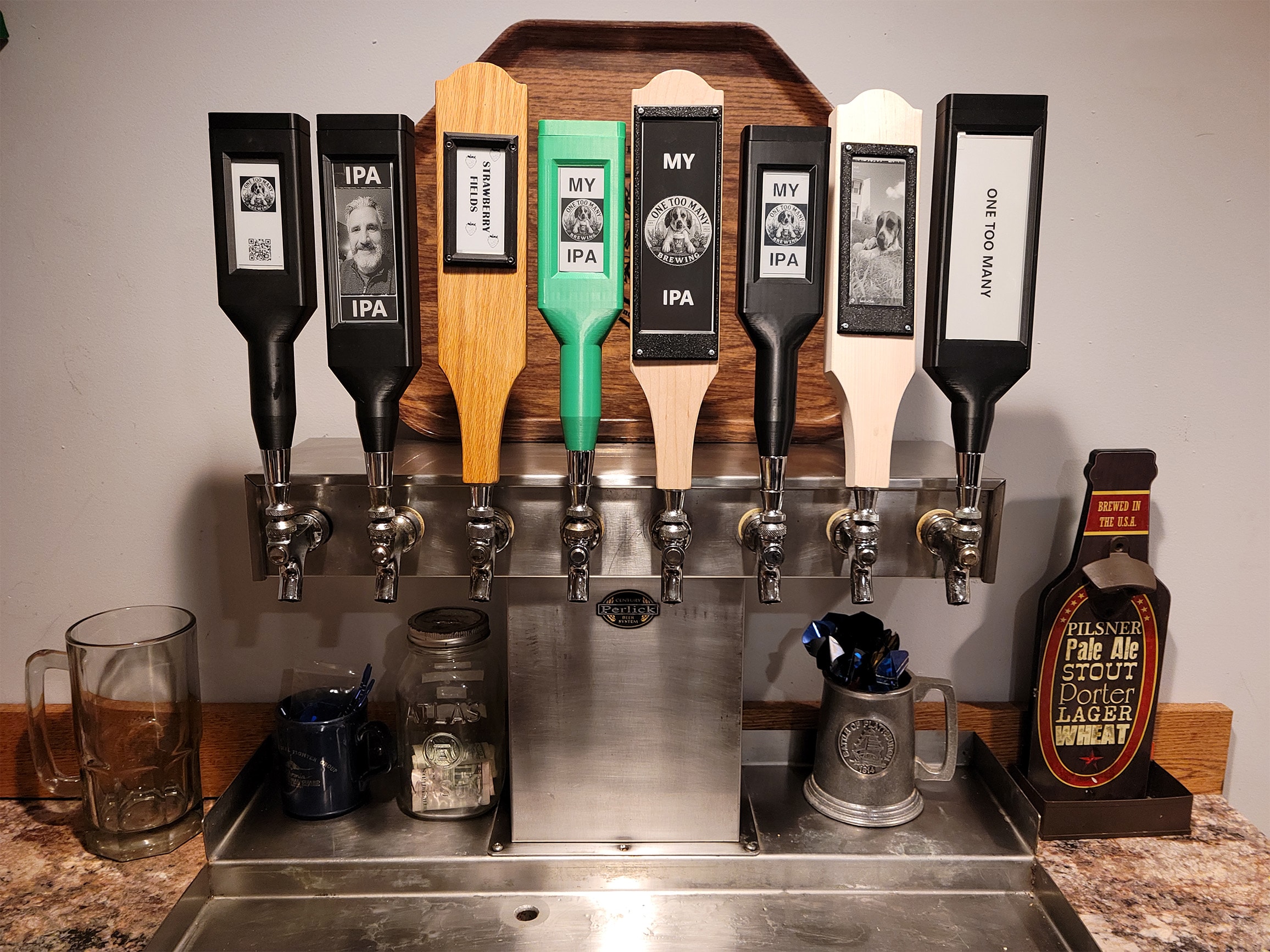
E-paper displays hold their image with ultra low power draw. The housing is IP54-rated for the brewery environment — condensation, cleaning spray, temperature swings.

The Software
ONE SCREEN.
EVERY TAP.
The dashboard runs in any browser and on iOS and Android. Manage your entire beer menu, push updates to individual handles or all at once, and track tap performance over time.
FAQ
COMMON
QUESTIONS.
Does it need to be plugged in?
No. The handle itself draws near zero power at rest — e-paper holds its image indefinitely.
Is there a RF hub required?
No, the mobile device or PC communicates directly with the Tap Handle.
How far does the RF signal reach?
Up to 100 feet in open air. In a typical taproom with walls and coolers, expect reliable range up to 60 feet from the hub.
Can I use my own beer label artwork?
Yes. Upload any PNG or SVG or use a photo from your mobile device. The application auto-scales it to fit the display. You can also use our built-in label builder if you don't have existing artwork.
Does it work with my POS?
Currently No, but we will be adding it in the future.
Is there a subscription required?
No!
Ready to see it in person?
Request a free demo unit — no commitment, no sales call.